Fixing YAML Errors in Docker Compose and Kubernetes Files
YAML is pleasant to read, and that is why Docker Compose, Kubernetes, GitHub Actions and Ansible all use it. But because whitespace carries meaning, a single wrong space can stop a deployment, or worse, leave the file valid while changing what it means.
This guide covers the errors that come up most often, how to read messages like "mapping values are not allowed here", and the habits that stop these problems from reaching production. You can paste your own file into YAML Validator as you read, and it runs in your browser, so nothing is uploaded.
Try it now:YAML Validator →
The rules behind most errors
YAML shows structure through indentation alone. Items at the same level must start in the same column, and children must be indented further than their parent. The number of spaces is up to you, and two is the norm, but tabs are not allowed at all for indentation. Most editors will convert tabs to spaces for you if you switch on that setting.
A key and value are separated by a colon and a space. The space is required, so name: web is correct, and name:web is just one text value. List items start with a dash and a space. Those few rules explain the great majority of YAML problems.
Error: "mapping values are not allowed here"
This message means the parser found a colon where it did not expect one. The usual cause is a value that contains a colon and has no quotes, or a line indented incorrectly so that it seems to continue the line above. Docker image tags and times are frequent offenders, along with titles containing a colon and a space.
Parsers word this differently: Docker Compose, written in Go, and Python tools tend to say "mapping values are not allowed", while JavaScript parsers, including our YAML Validator, may say "bad indentation of a mapping entry" for the same mistake. The fix for a value is simply to wrap it in quotes. If the value looks fine, check the indentation on that line and the one above it. The reported line number is where the parser gave up, so the true cause may be one or two lines earlier.
services:
  web:
    image: nginx
command: echo Status: readyservices:
web:
image: nginx
command: "echo Status: ready"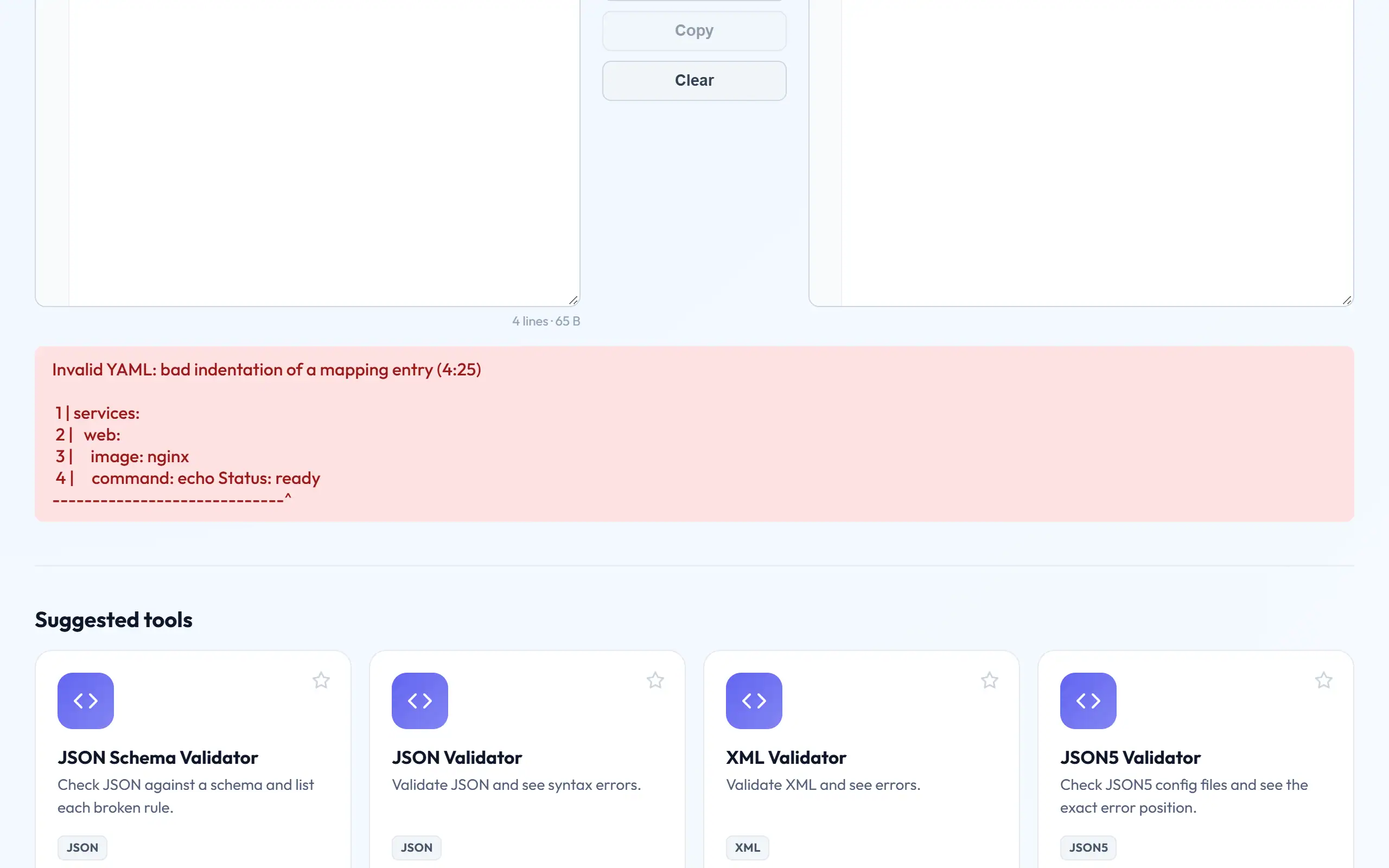
Error: "found character that cannot start any token"
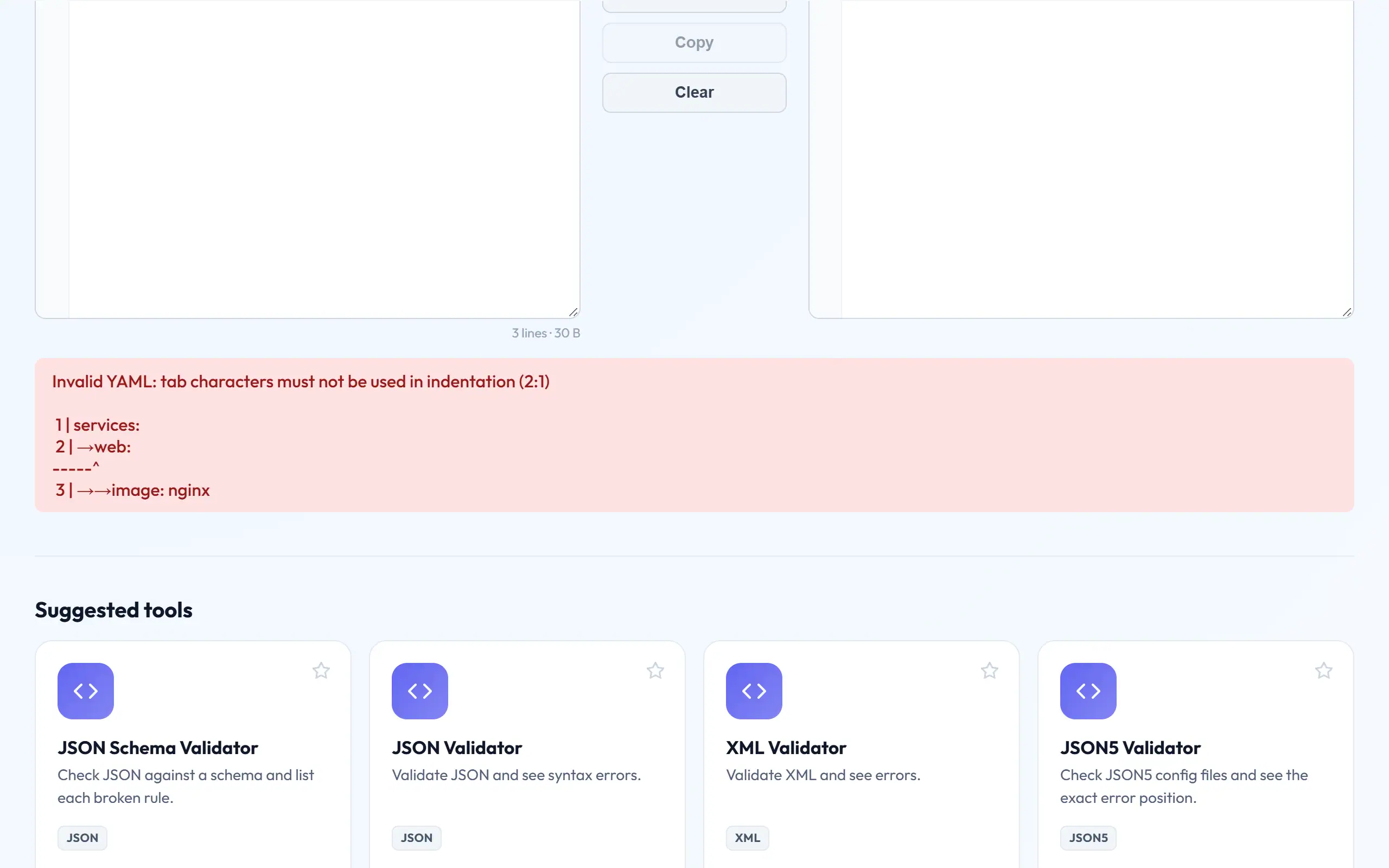
This generally means there is a tab somewhere in the indentation, and it is hard to spot since tabs and spaces look alike. Turn on "show whitespace" in your editor, or use find-and-replace on tab characters, to catch them. Files copied from web pages and chat apps can also include unusual invisible spaces that cause the same error.
Certain characters are also reserved at the start of a value, including @, the backtick, %, and * and & (which mark aliases and anchors). A value that starts with one of these must be quoted. The asterisk causes a very familiar version of this in cron schedules, so a schedule must be written as "*/5 * * * *" with quotes.
Values that silently change type
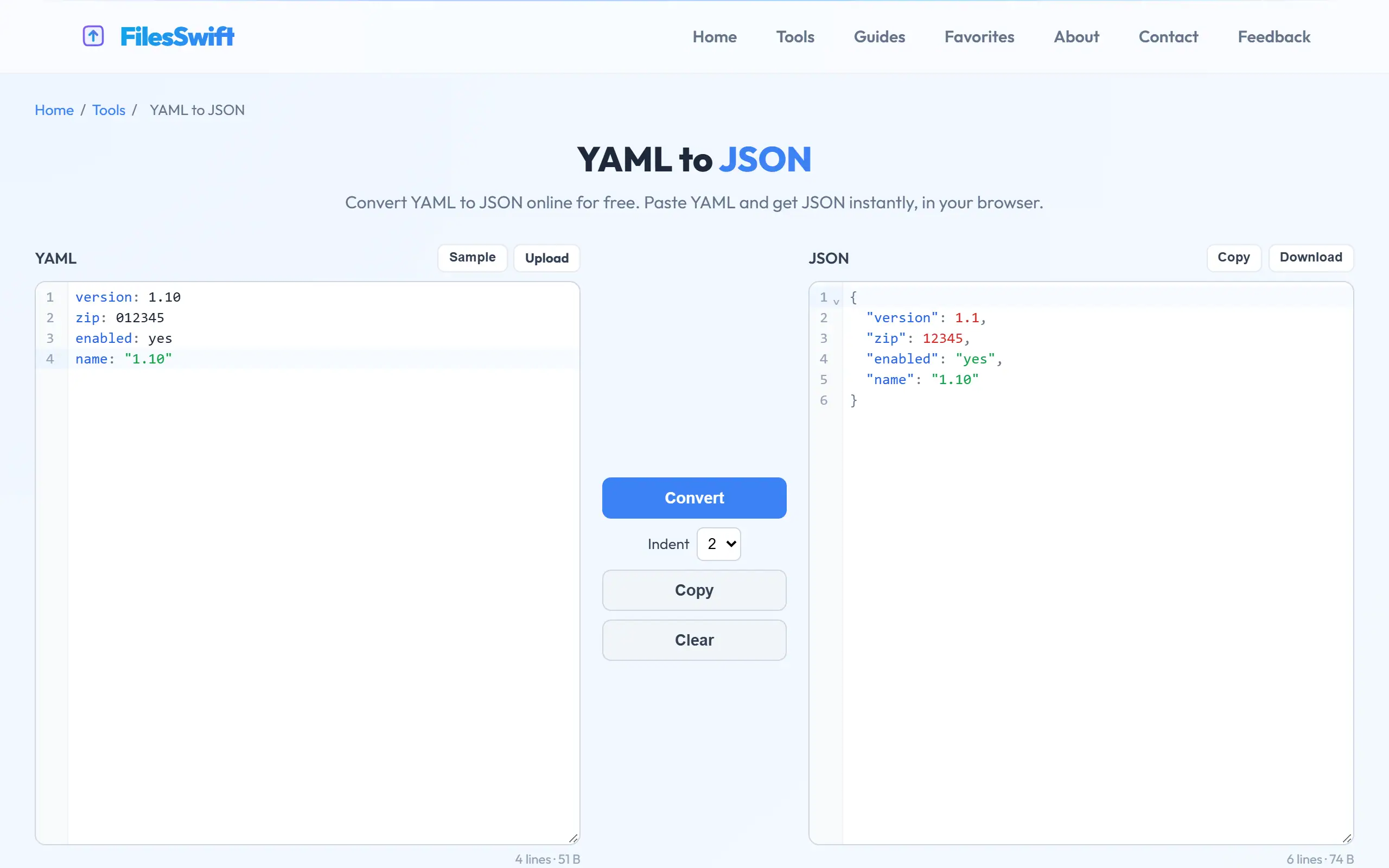
These are worse than syntax errors, because nothing complains. Depending on the parser's YAML version, an unquoted yes, no, on or off may become a boolean. That caused the well-known "Norway problem", where a country code of NO turned into false. Version numbers are another trap: 1.10 is read as the number 1.1, so a Python version of 3.10 in a CI file can turn into 3.1.
Docker Compose port mappings have a subtle trap, too. A value like 22:22 could be interpreted as a base-60 number by older YAML 1.1 parsers, which is why the Compose documentation advises quoting ports. The rule of thumb is simple: if a value is not meant to be a number or a boolean, put it in quotes. It costs nothing, and it removes any doubt.
python-version: 3.10
ports:
  - 22:22
country: NO
version: 1.20
python-version: "3.10"
ports:
  - "22:22"
country: "NO"
version: "1.20"
Valid YAML with the wrong structure
The most frustrating problems are the ones that pass validation. If you indent a key too little in a Kubernetes manifest, resources may end up attached to the pod spec rather than to the container, for instance. The YAML is perfectly legal, and depending on the tool, the setting might be ignored or rejected with an error about an unknown field.
Viewing the file as a tree makes this obvious, as YAML Viewer shows you exactly what is nested under what. Converting with YAML to JSON has the same effect, since braces leave no ambiguity. When a setting appears to do nothing, check where it really ended up before you start looking anywhere else.
Use the tool's own validator as well
Our validator confirms that the syntax is correct. The next layer of checking belongs to the tool reading the file, which knows which fields are allowed. For Compose, docker compose config parses your file and prints what it understood, which is very useful for debugging. For Kubernetes, kubectl apply --dry-run=server checks a manifest against the cluster without changing anything.
For GitHub Actions, the actionlint tool catches mistakes in workflow files, and many editors have Kubernetes and Compose extensions that underline errors as you type. Add these to your pre-commit hooks or CI pipeline, as a problem found a minute after writing it is far cheaper than one found during a late-night deployment.
Multi-line strings and anchors
Scripts and config blocks are often embedded in YAML, and there are two main styles for them. A pipe (|) keeps your line breaks, so it suits shell scripts. A greater-than sign (>) folds lines together into a single line, which suits long descriptions. Both need the text indented below the key.
Anchors help you avoid repetition. &defaults names a block, and *defaults reuses it, while <<: *defaults merges it into another mapping, as commonly seen in Compose files. Not every tool supports merge keys, however, so if a value seems to be missing, convert the file to JSON and see how it was expanded. Our YAML to JSON tool expands anchors, aliases and merges for you.
Habits that prevent most problems
Set your editor to insert spaces rather than tabs, with a two-space indent for YAML files. Quote anything that is not obviously a word, including versions, ports, times and cron schedules. Keep files small where you can, because deeply nested files are hard to review, and Kubernetes lets you split resources up.
Run YAML Validator or a linter such as yamllint on every change, ideally automatically. Finally, when you copy a snippet from documentation, pay attention to the indentation of the place you paste it into. Pasted snippets at the wrong level are probably the most common cause of the "valid but wrong" problem above.
Frequently asked questions
Why does my file work in one tool but fail in another?
Tools use different YAML versions and parsers. YAML 1.1 treats yes and no as booleans, whereas 1.2 does not. Quoting ambiguous values makes a file behave the same way everywhere.
How many spaces should I indent by?
Two is the common convention, and any consistent number is valid. What matters is that items at one level line up exactly with each other.
Can YAML contain JSON?
Yes. YAML 1.2 is designed as a superset of JSON, so nearly all JSON is also valid YAML. You can use {a: 1} style inline objects inside a YAML file.
Will the validator tell me about wrong Kubernetes fields?
No. It checks YAML syntax only. Use kubectl apply --dry-run=server, or an editor extension, to check against Kubernetes' own rules.